
(NOTE: any new AD reports created will reflect the times from the aircraft profile.)
To update Airframe, Engine, or Propeller times on an existing AD Compliance Report, view your AD Compliance Report.
There are two options on how to update report component hours:
-
(1) individually, by component;
-
(2) all report components.
To update report components individually:
Click the blue pencil icon next to the report component you want to update.
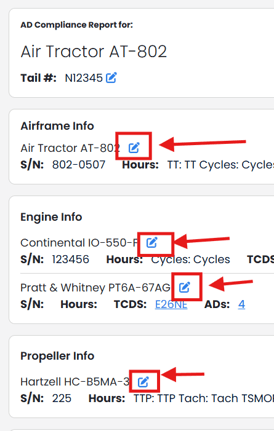
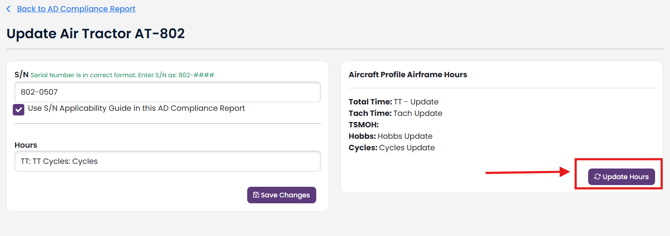
If the report component serial number matches the serial number in your Aircraft Profile, you will be given the option to update hours for that specific component.
To update hours, simply click the "Update Hours" button.
To update all hours on your report, you can use the report update tool: Update AD Compliance Report