
Log in to your FlyGarmin account.
Click on Aircraft
Click on the Aircraft you want to share with TBX.
Click Manage Aircraft and select "Share Access"
Click Manage Flight Log Sharing
From the list of Available Providers, scroll down until you see TBX.
Click Connect Account

You will be redirected to the Garmin TBX Basic Account registration page.
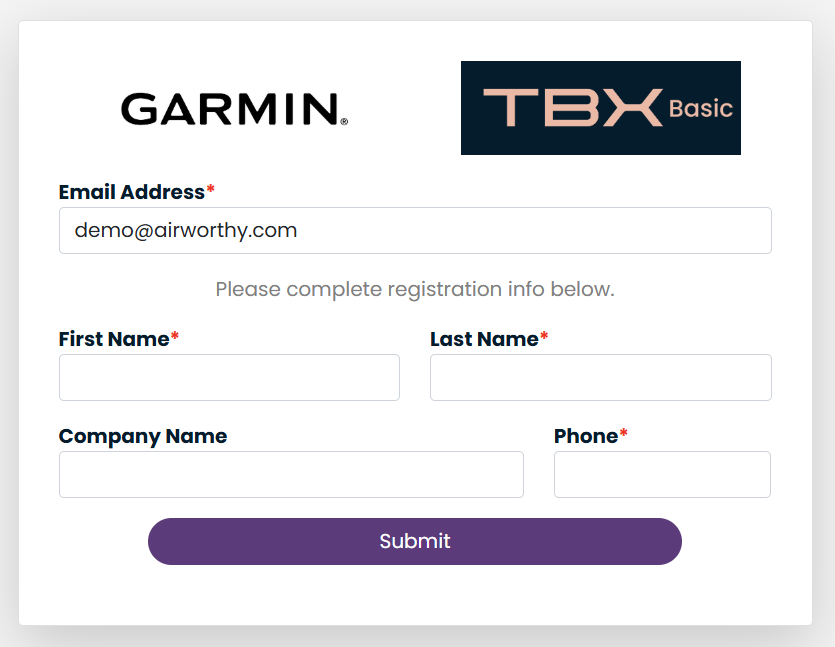
Complete the required fields and then click "Submit".
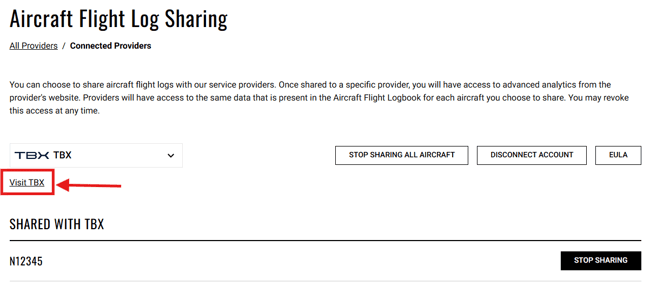
You will be redirected back to FlyGarmin where you will be able to select what aircraft you want to share with TBX, remove aircraft from sharing, or disconnect from TBX entirely.
To return to TBX, click the Visit TBX link.
Login credentials to TBX were emailed to the email address you provided at registration. Use these credentials to login to TBX.
Once logged into TBX, you can set up Aircraft Profiles for aircraft that you have shared with TBX.
Click the "Continue" button.
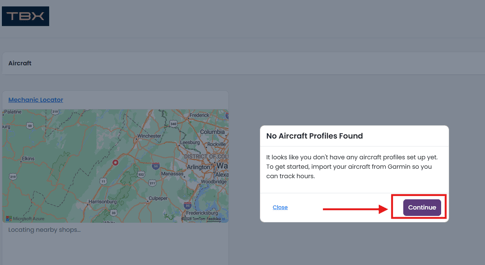
For each aircraft shared with us, the Aircraft Import wizard will guide you through set up of an aircraft profile.
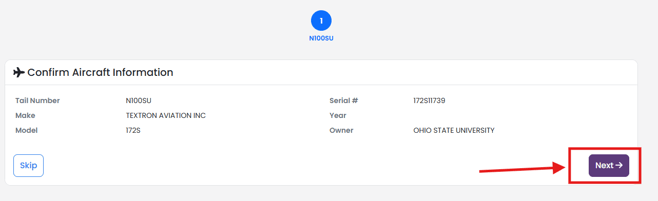
If the aircraft is in the FAA Aircraft Registry, information from the FAA Aircraft Registry will be provided. If the information is correct, select "Next".
If the aircraft is type-certificated in the United States, engines will be available for you to choose from based on the TCDS.
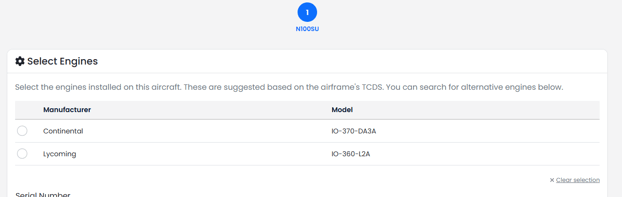
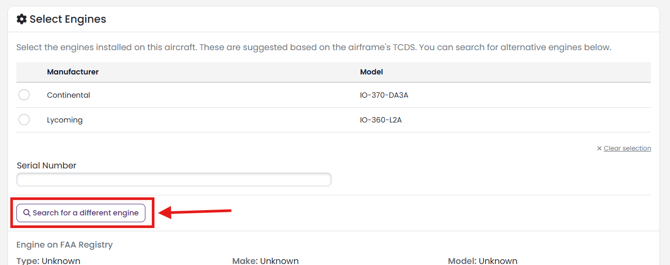
If no engines are provided, or the engine on your aircraft is different than on the list, click Search for a different engine.
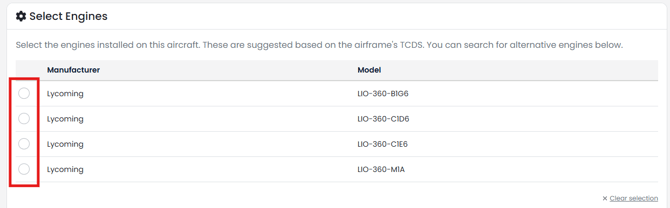
Enter the Model you would like to search and click the search button.

Select the model engine you want to add to your aircraft.
You may also add your serial number for your engine, by entering it in the serial number field.

Click "Next"

Follow the same process for Propellers.
Click Next when Propeller selection is complete.
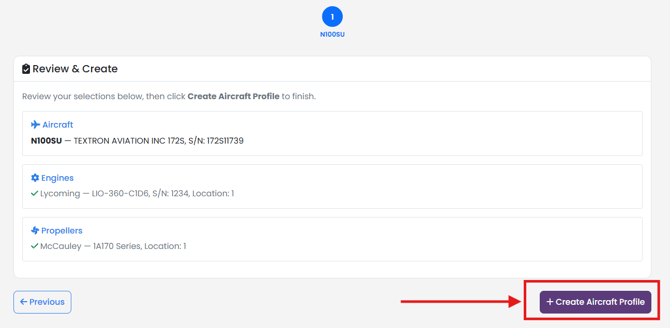
You will be given a chance to review set up one more time. Review the information and click Create Aircraft Profile button.
Once all aircraft profiles are completed, click Go to Dashboard.