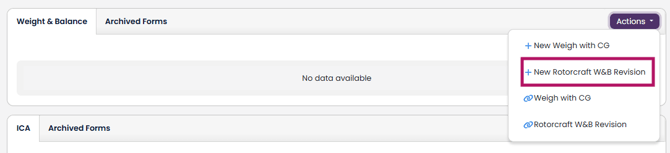
1. To create a Rotorcraft Weight & Balance Revision, navigate to the Aircraft Profile and scroll down to the W&B Section, click the "Actions" button, then the "+ New Rotorcraft W&B Revision" option:
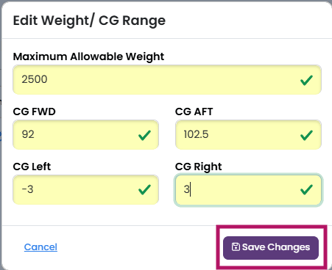
2. This opens up the Rotorcraft W&B Revision editor. First fill out the Weight/CG Range box per the TCDS and click "Save Changes".
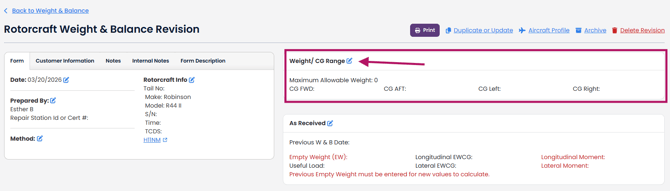
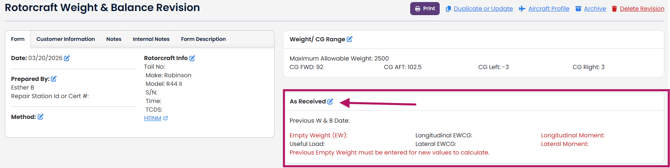
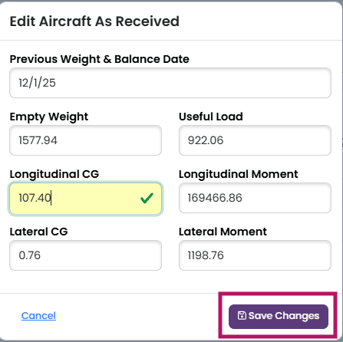
3. Next, fill out the "As Received" W&B information from your existing Weight and Balance form. Please note that the Useful Load must equal the Maximum Allowable Weight - the Empty Weight. If not, you will see an error message and you will need to edit the numbers.
 .
.
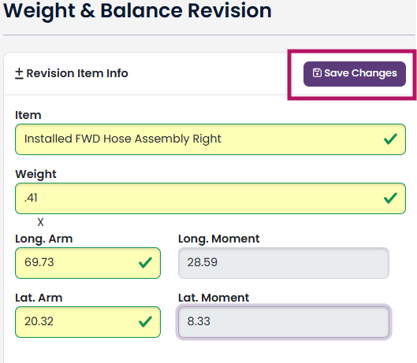
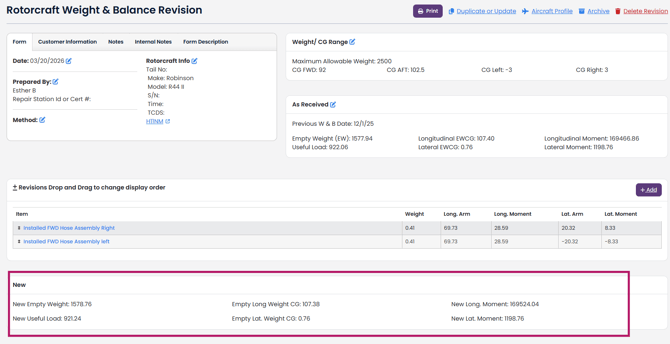
4. Next, you can add any revisions (installed or uninstalled equipment, or both) and click "Save Changes".
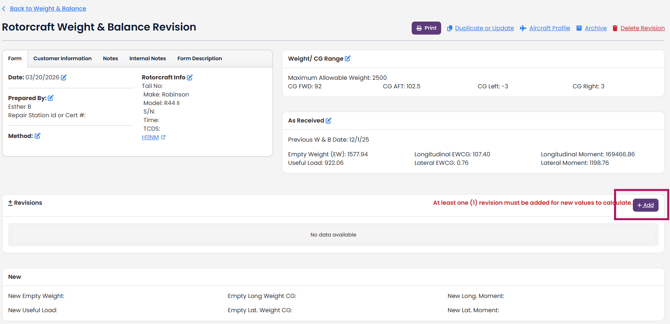
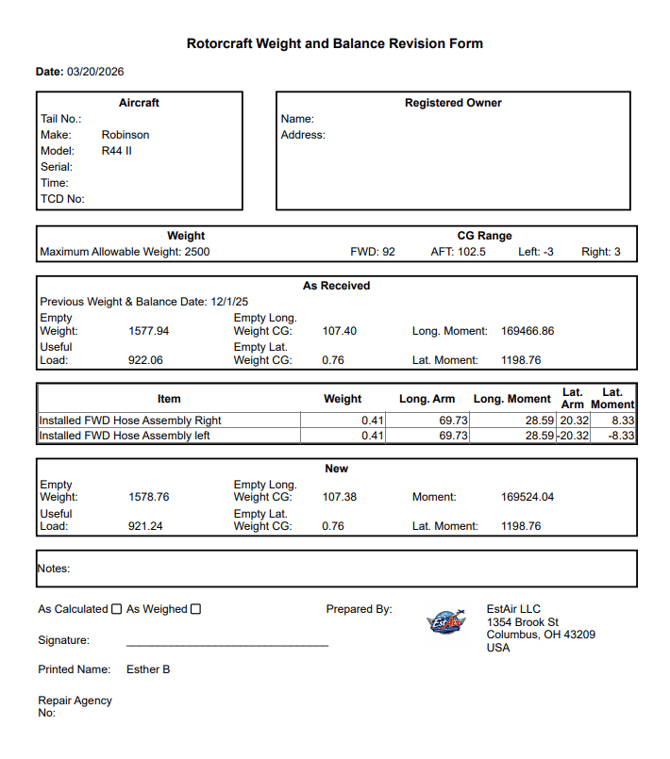
Now the updated Weight and Balance info is calculated. New Useful Load = Maximum Allowable Weight - (Sum of all Weights from the original Weight & Balance Form AND the Revisions)
To print the updated W&B form, click the Print Icon at the top of the page.