
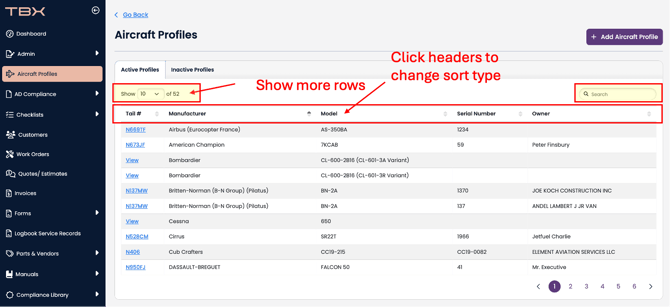
When looking at aircraft profiles for a larger number of aircraft, we provide several options to make it easier to navigate:
- Change the amount of visible rows
- Change the sort column (by clicking on the header)
- Use the search bar to search for an N-Number, Make, Model, or serial number
Use these methods as shown here:
Another way to clean up aircraft profiles is to set inactive profiles as inactive.
To change an aircraft profile from Active status to Inactive status, see the article here.