
Import Aircraft Profile Equipment List
If you maintain an Equipment List on your Aircraft Profile (recommended), you can import the list to your AD Report. The equipment/appliances will be listed in the Appliance Info section as a text list.
IMPORTANT: This will not automatically find or add ADs; you will need to add Appliance ADs with one of these methods.
To Import Aircraft Profile Equipment List, navigate to the Appliance Info section of your AD Compliance Report.
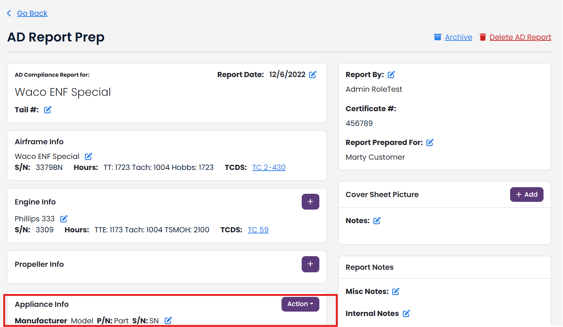
Under the Action dropdown, click Import Aircraft Profile Equipment List.

The import process will match your Report Appliance List with your Aircraft Profile Equipment list by: Manufacturer, Model Name, P/N and S/N.
If there is a match, the import tool will update the Location, Category, Hours and Comments/Notes in your Report Appliance List from the matching Aircraft Profile Equipment List.
If there is no match, the import tool will add a new Report Appliance record to your Report Appliance Info list.