In the AD Report Prep page, navigate to the component you want to update the hours for and click on the blue pencil icon.
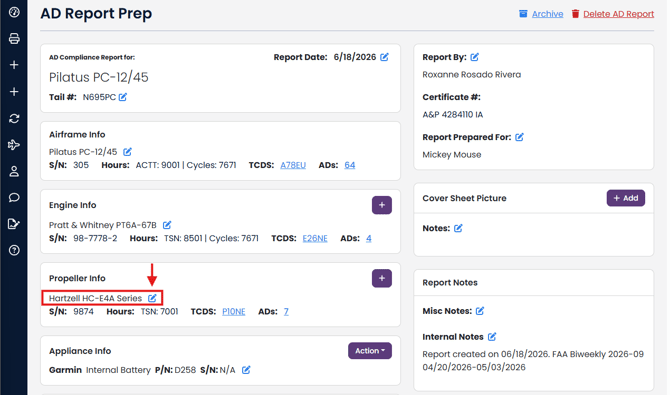
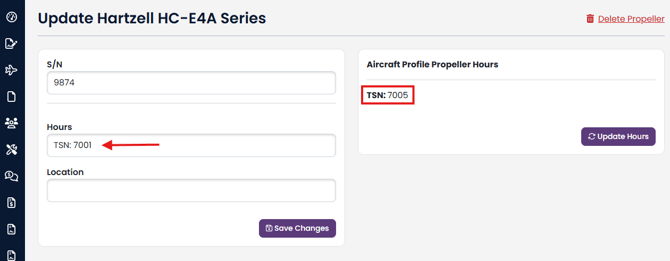
Note the current hours in the AD report for this propeller versus the current hours in the Aircraft Profile.
NOTE: If the hours in the red box below are NOT correct, return to the Aircraft Profile - Aircraft Time Edit and correct the value there first.
Click Update Hours (Note: if no aircraft profile hours are visible, click here)
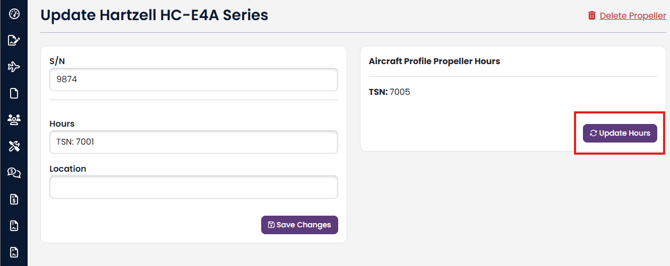
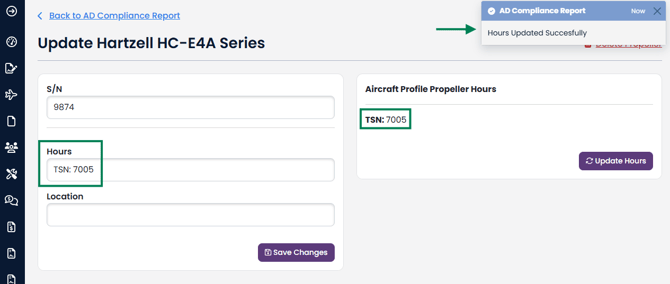
The propeller hours for this AD report have been successfully updated. Repeat these steps to update the hours for the other components in the report.
Aircraft Profile Hours are not visible, why?
To update hours on AD Compliance Report component, the component must be linked to an Aircraft Profile Component.
If you report is not linked to an Aircraft Profile, you will not see an Aircraft Profile Hours box. To link an AD Compliance Report to an Aircraft Profile, click here.
Once your AD Compliance Report is linked to an Aircraft Profile, you should will have the ability to link the AD Compliance Report component to an Aircraft Profile component.
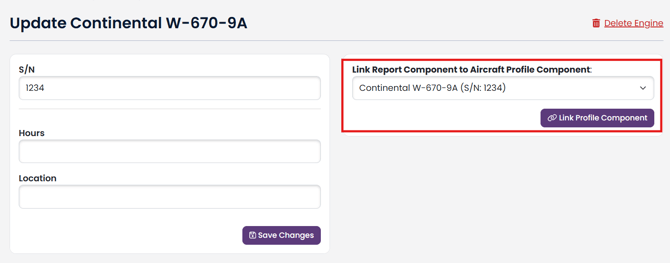
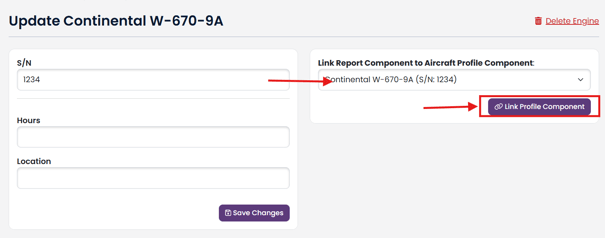
Select the Aircraft Profile component from the dropdown, then click Link Profile Component button.
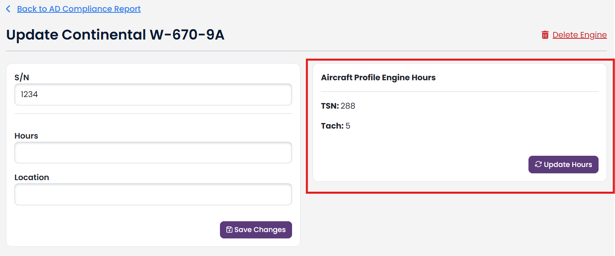
Aircraft Profile Hours will be available for you to update once the Aircraft Profile component is linked to the AD Compliance Report component.
An Aircraft Profile component can only be linked to one AD Compliance Report component. If there are no available Aircraft Profile components, the Aircraft Profile Hours box will not be available.
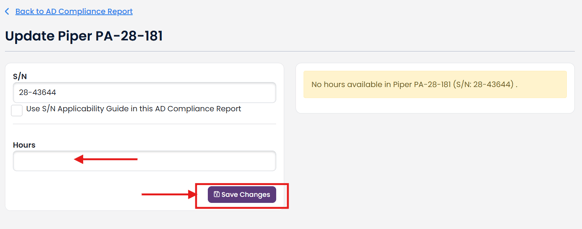
If your AD Compliance Report component is linked to an Aircraft Profile component, but there are no hours entered into your Aircraft Profile component, you will see a No hours available message.
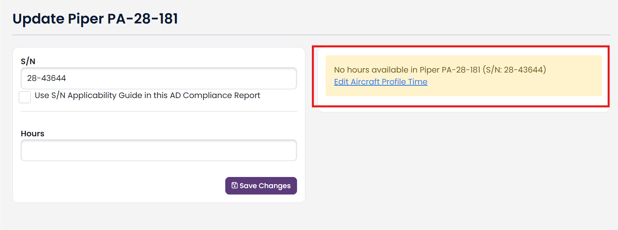
Click Edit Aircraft Profile Time link to go to your Aircraft Profile hours and add hours to your component, or:
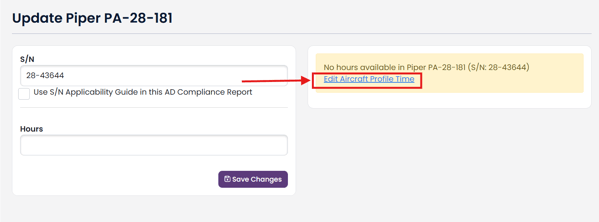
Manually add hours to your AD Compliance Report component by typing into the Hours field and then click the Save Changes button