
In your AD Compliance Report, there is a check box available for all ADs in your report to mark ADs as "Historical/SSED".
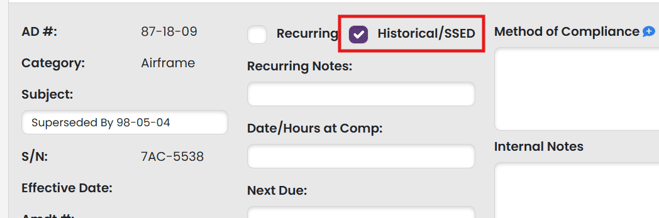
On creation of your AD Compliance Report, this box will be checked by default in the following cases:
- The AD has been superseded or replaced by another AD.
- The AD has been revised.
- The AD is an emergency AD that has been published as a final rule.
In the case of a superseded or revised AD, the AD subject will reference the current AD that is now in effect.
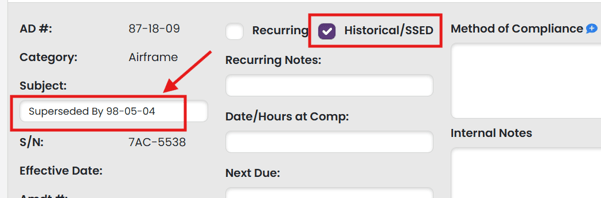
The Historical/SSED check box can be used after an AD Compliance Report is created in the event that an AD becomes superseded or revised.
Why are historical ADs on my AD Compliance Report?
TBX includes historical ADs in your AD Compliance Report to give you a complete, traceable record of compliance for your airframe, engine, propeller, or appliance. This matters during AD research as logbooks often reference ADs that were complied with years ago but are now superseded or otherwise legally inactive.
If TBX excluded these historical ADs, you wouldn’t have visibility into which ADs had been superseded or revised, and important compliance history could appear to be missing.
Flexibility
TBX offers flexibility.
-
Want to keep the complete and traceable history of your aircraft? Simply keep the AD checked. It will remain in your AD Compliance Report. Both the Method of Compliance fields and the Internal Notes fields can be used to add any detailed information regarding the AD you want to maintain.
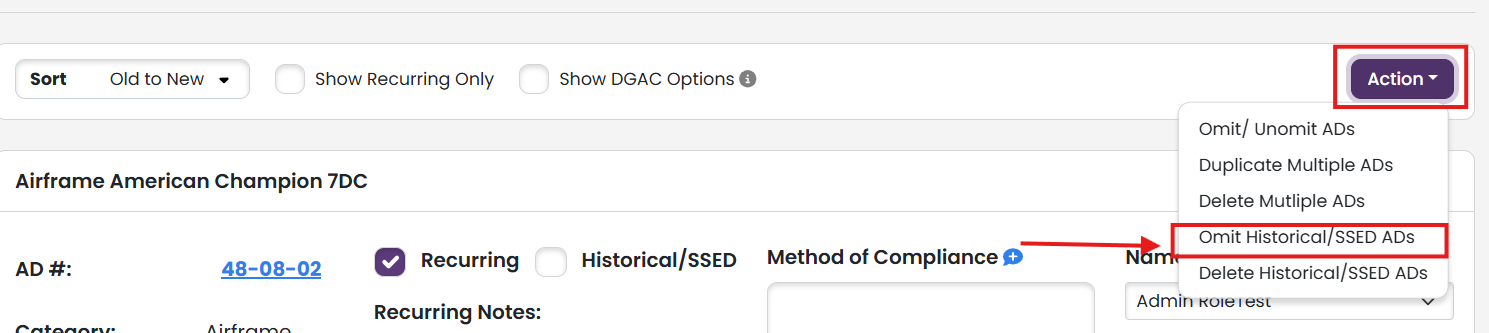
- Want to keep the complete and traceable history of your aircraft, but don't want the historical ADs to print? You can omit the historical ADs from your AD Compliance Report with a few easy clicks. Under the Action dropdown, select "Omit Historical/SSED ADs".
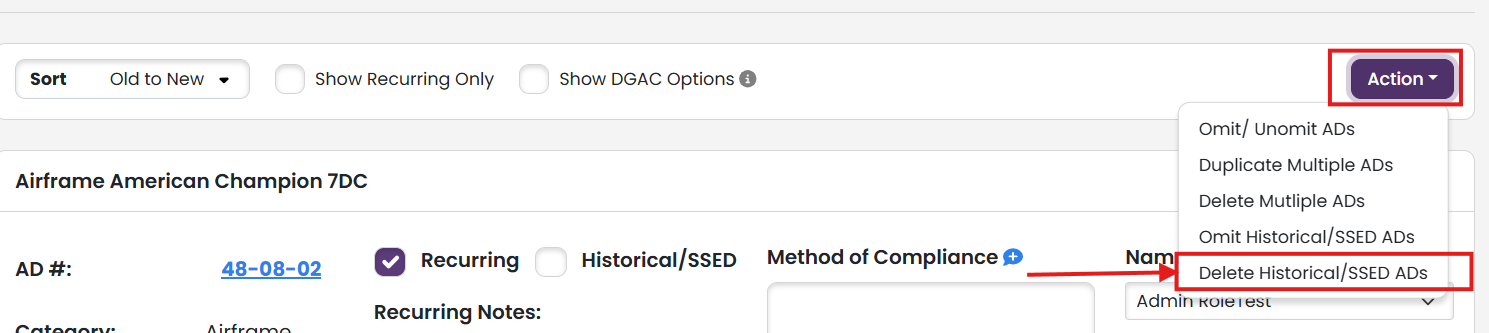
- Don't want to keep the historical ADs? Historical ADs can be deleted with a few easy clicks. Under the Action dropdown, select "Delete Historical/SSED ADs". This will permanently delete any AD with the Historical/SSED checkbox checked.
Other places you may encounter "Historical"
When updating you AD Compliance Report, the AD list will include historical ADs. They are unchecked by default.
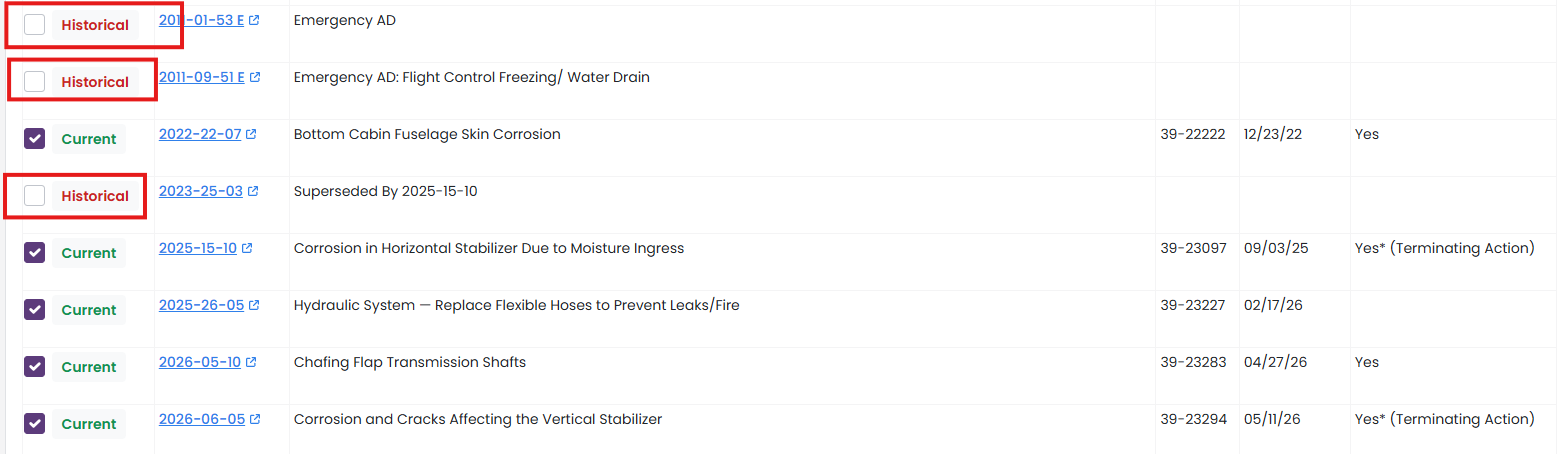
Historical ADs that you previously deleted WILL appear in the update report AD list. Omitted historical ADs will not, as they are still a part of your AD Compliance Report.
When doing an AD search, historical ADs will be in the AD list.
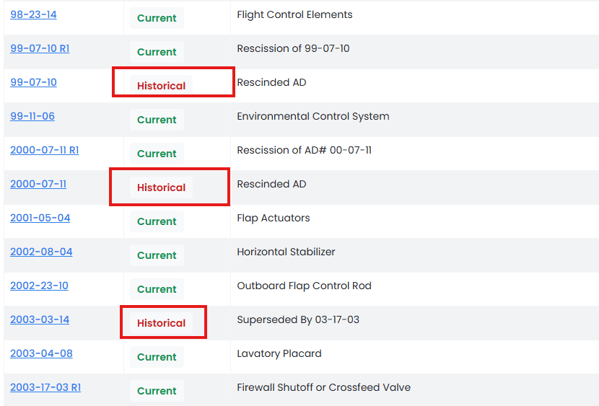
When viewing an AD, the AD will be tagged as Historical
