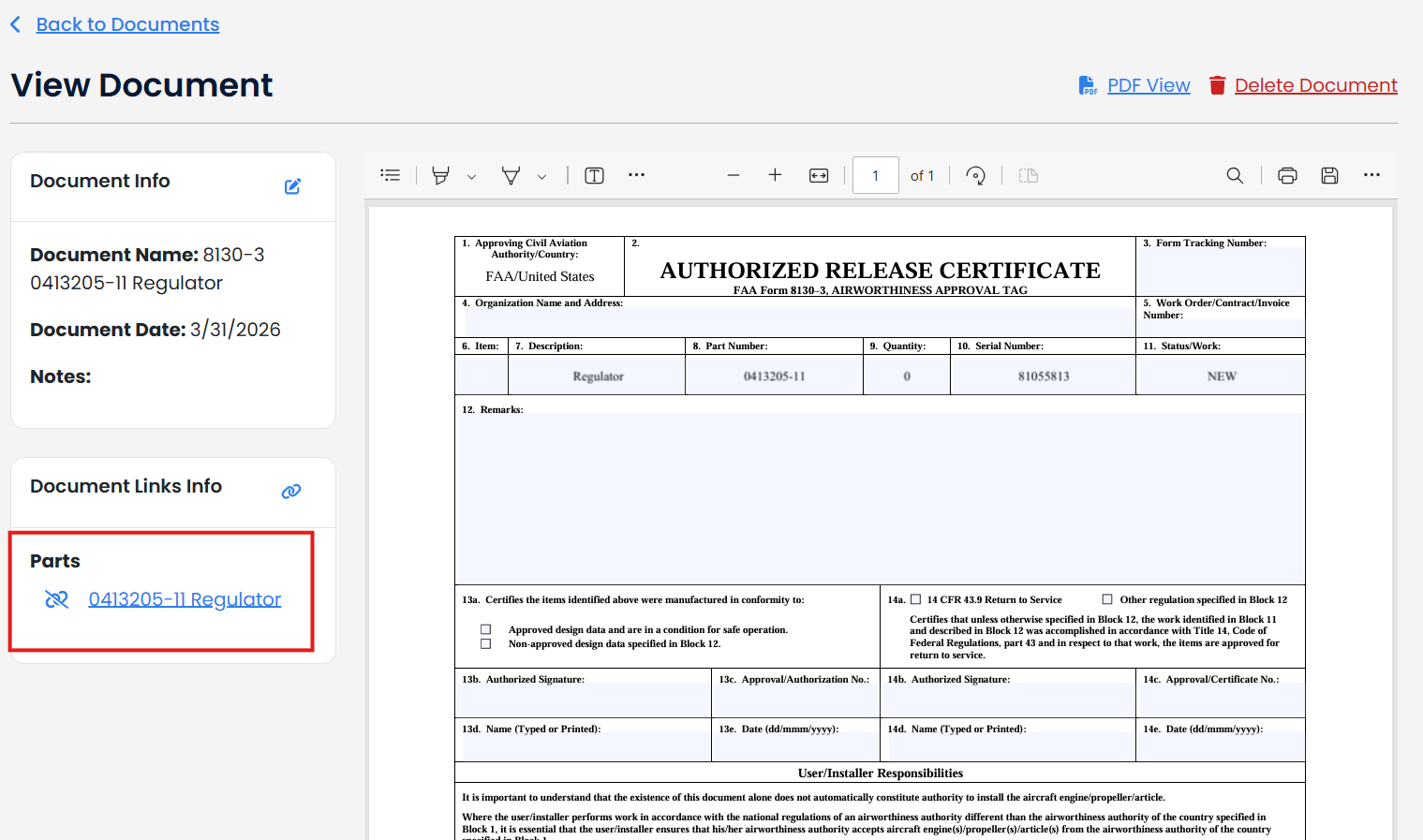
FAA Form 8130-3
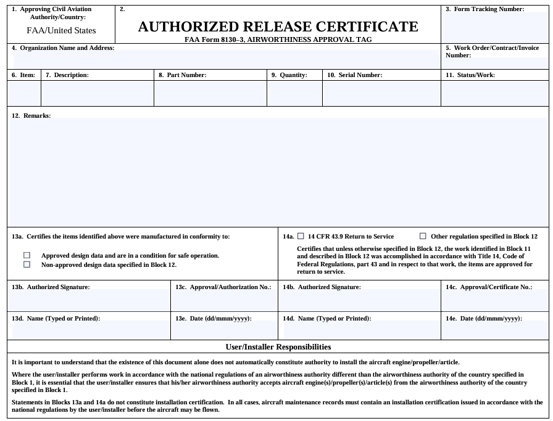
There are two ways to create a FAA Form 8130-3
- Filling in a blank FAA Form by going to Forms & Checklist>FAA Forms; or
- Creating on directly from a part saved in TBX.
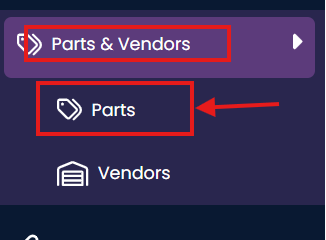
To create a FAA Form 8130-3 directly from a part saved in TBX, click on Parts & Vendor and then Parts on the left-hand navigation bar.
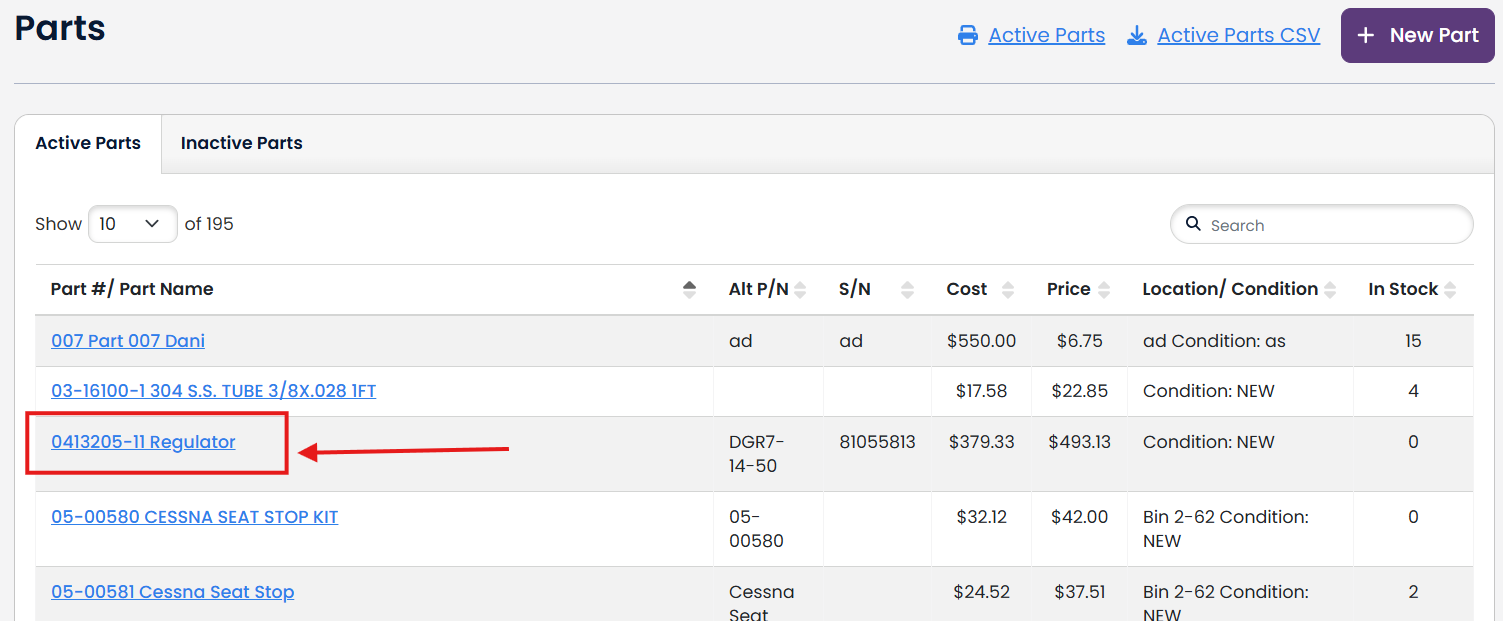
Click on the Part#/ Part Name link from either the active or inactive parts lists.
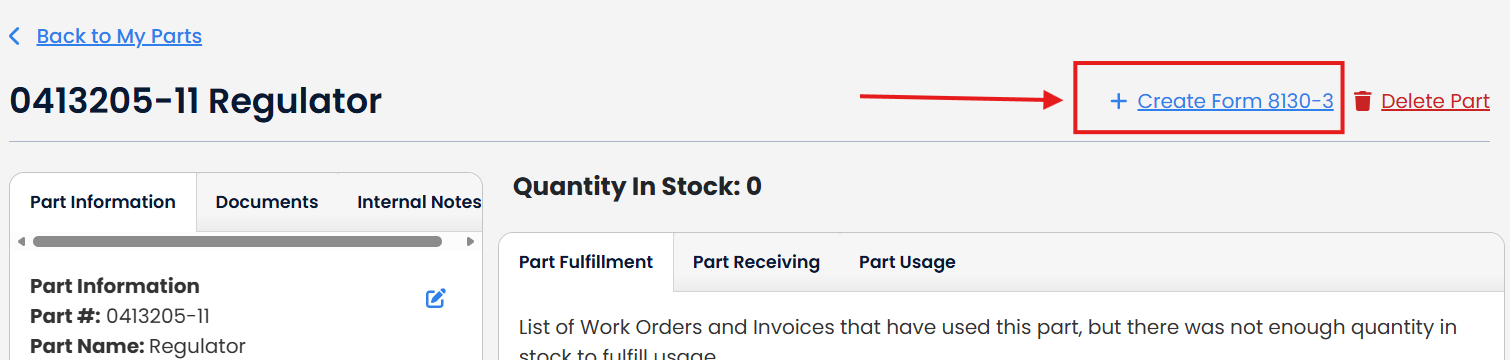
Click "+ Create Form 8130-3" link.
Complete any forms you want to print to the form.
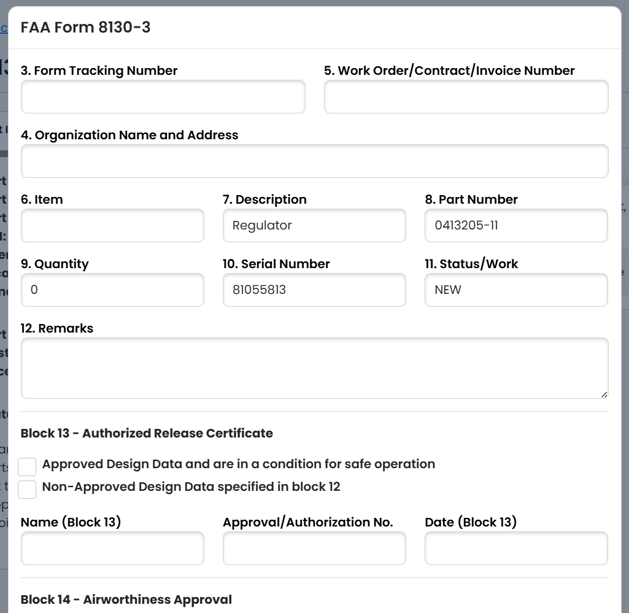
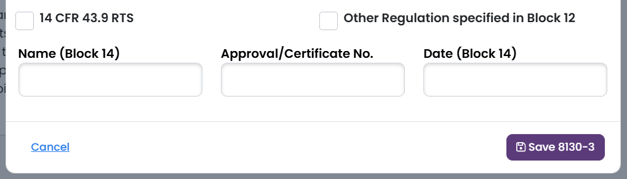
Once you have completed the fields you want to print to the Form 8130-3 form, click Save 8130-3.

The document will be saved to your Documents and linked to your part. You will be returned to the View Document page.