
Navigate to the Work Order from which you want to create a work template.
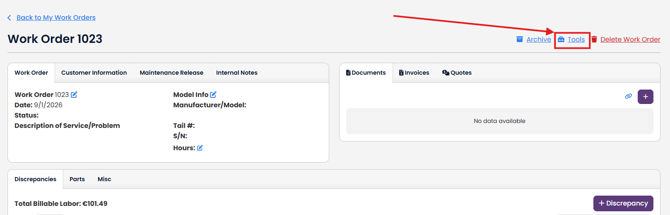
Select Tools in the top right.
Click Create Template from Work Order button.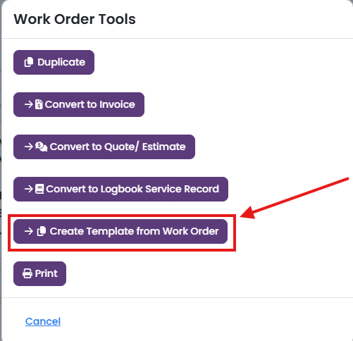
Click
-
Convert to Template button, if you want to convert the entire work order to a work order template.
-
Select Discrepancies/Parts/Misc to be able to choose which discrepancies, parts and misc items you want to add to the template.
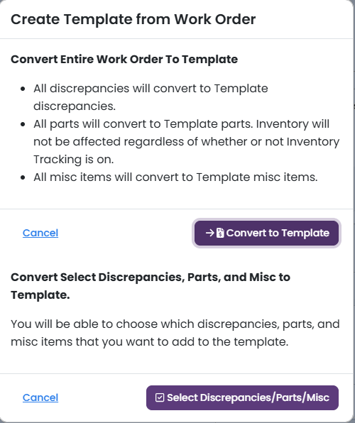
Convert to Template, will create a template for you and redirect you to the Edit page so that you can make any changes necessary. For detailed instructions on how to edit a template, click here.
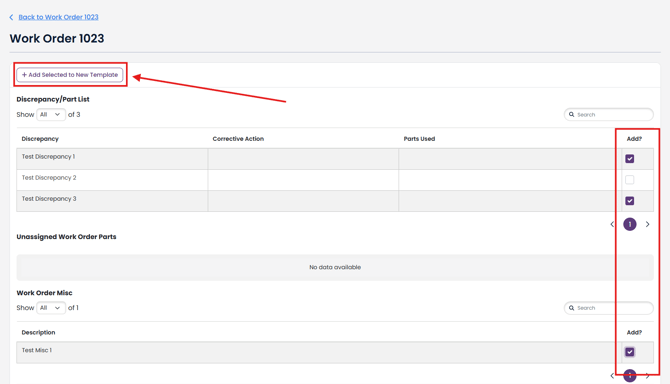
Select Discrepancies/Parts/Misc, select which discrepancies, parts, and misc items. Click + Add Selected to New Template.
Note: Parts added to a template will not affect inventory tracking.