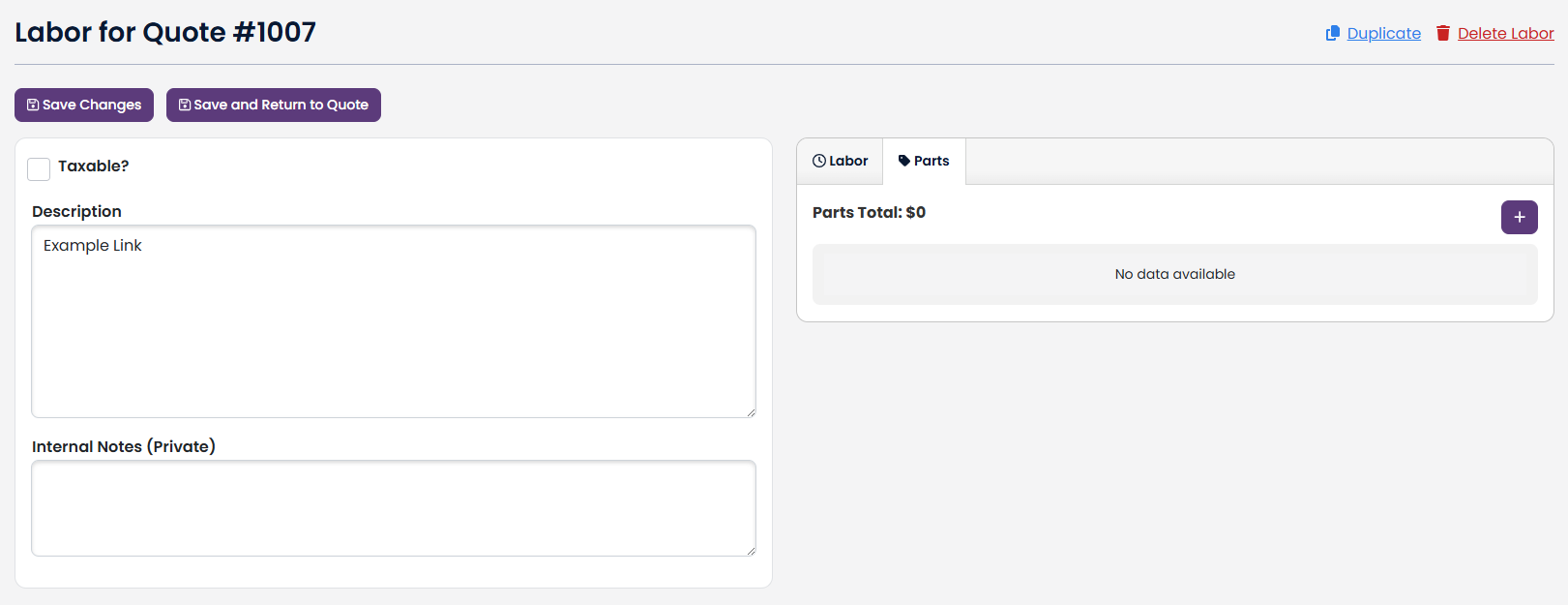
Add:
To ADD a part to a Quote/Estimate Labor, navigate to that Labor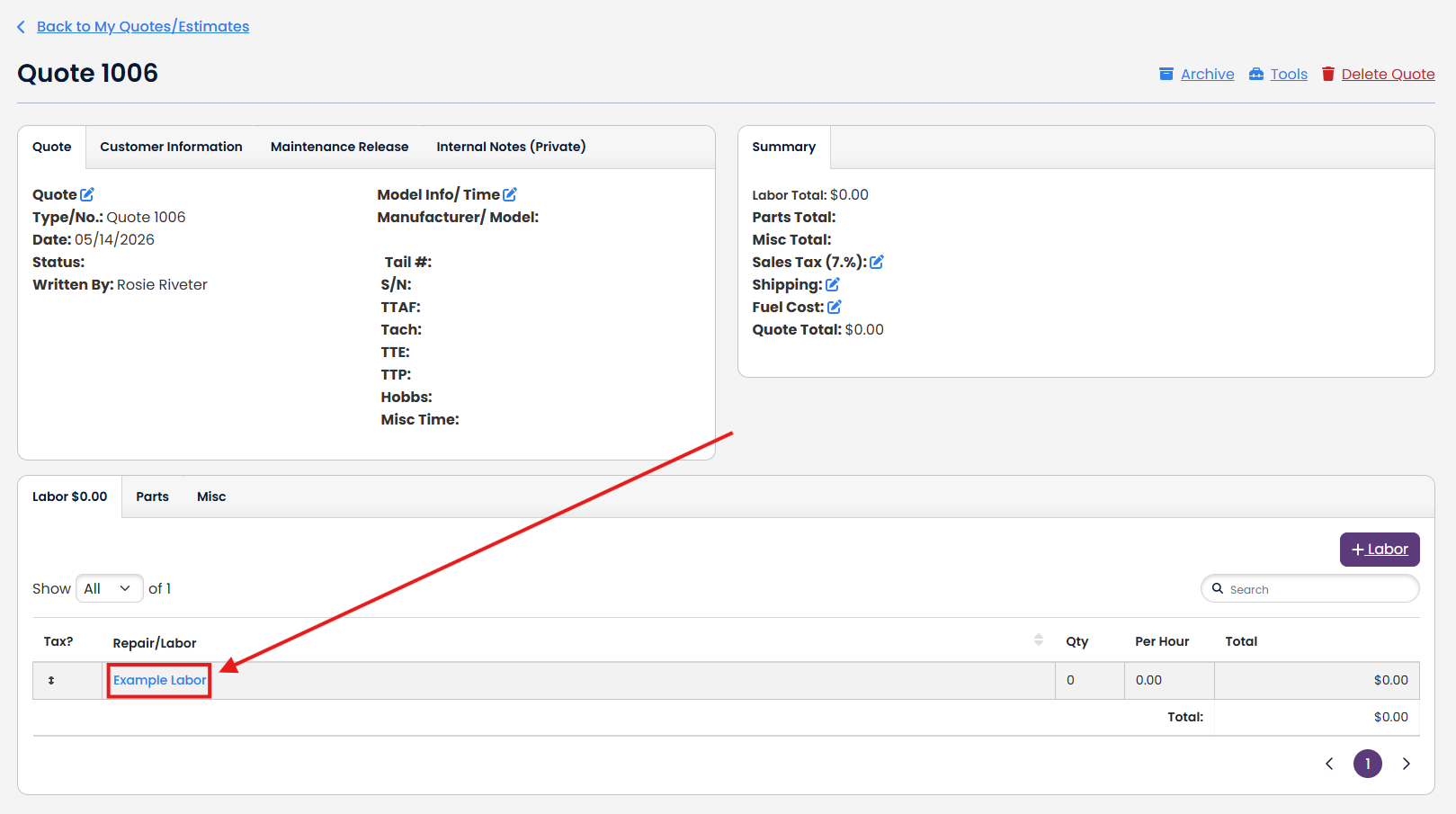
Click on the Parts tab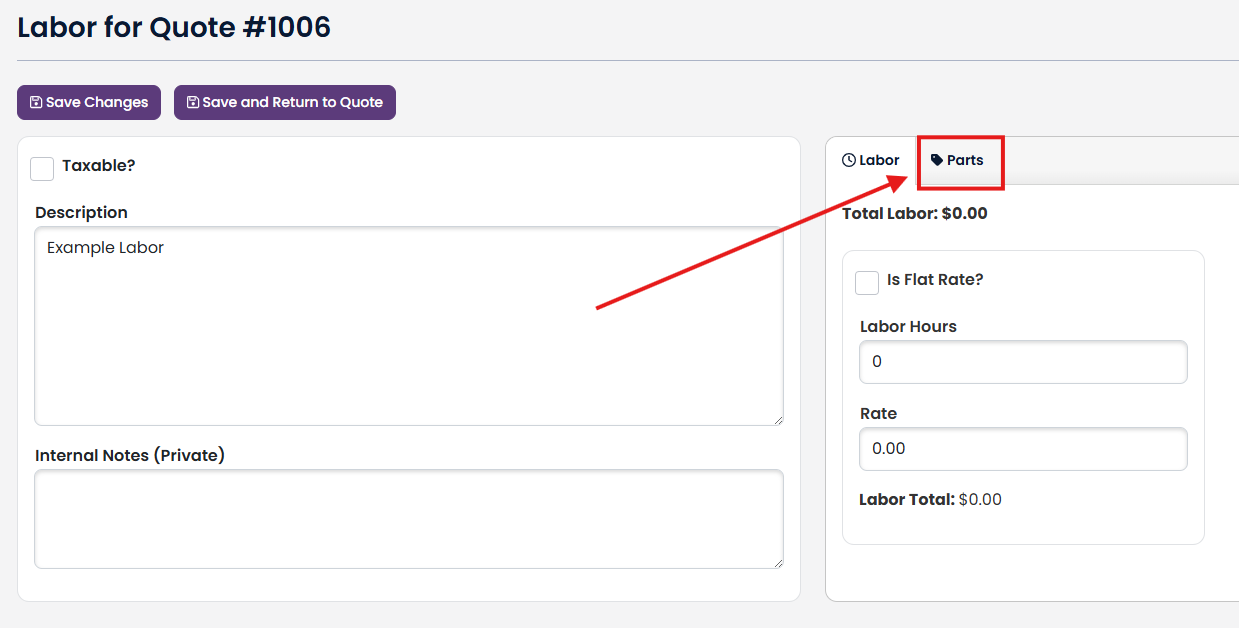
Click on the + button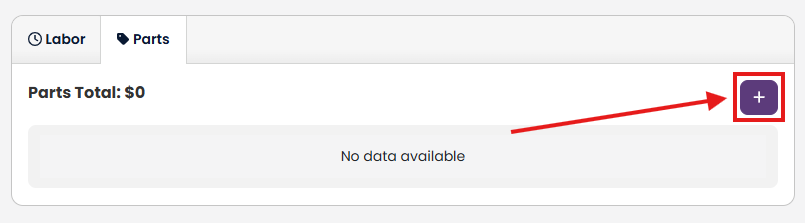
Click on + Add Part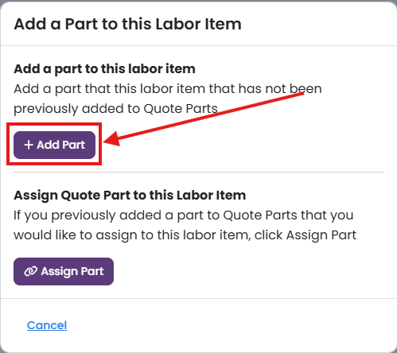
Now you will be brought to a new page where you can add a part from your Inventory based on its Name or Number
When you have finished entering the necessary information, click Save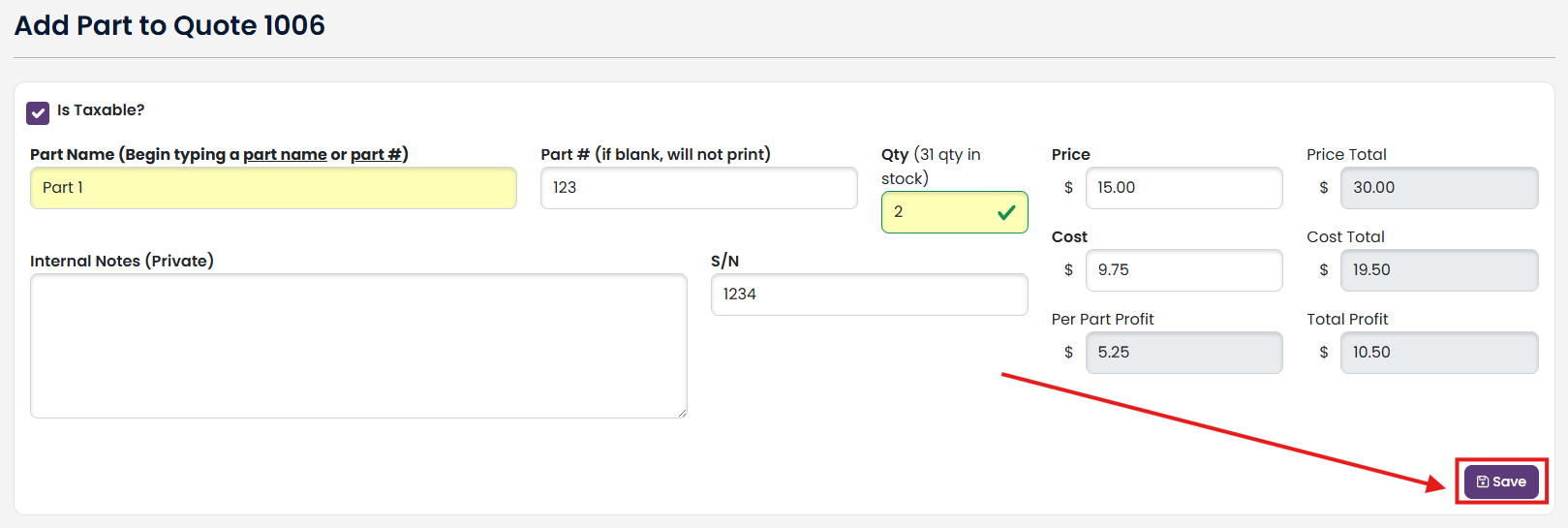
Now this part will show up under the Parts tab in the Quote/Estimate Labor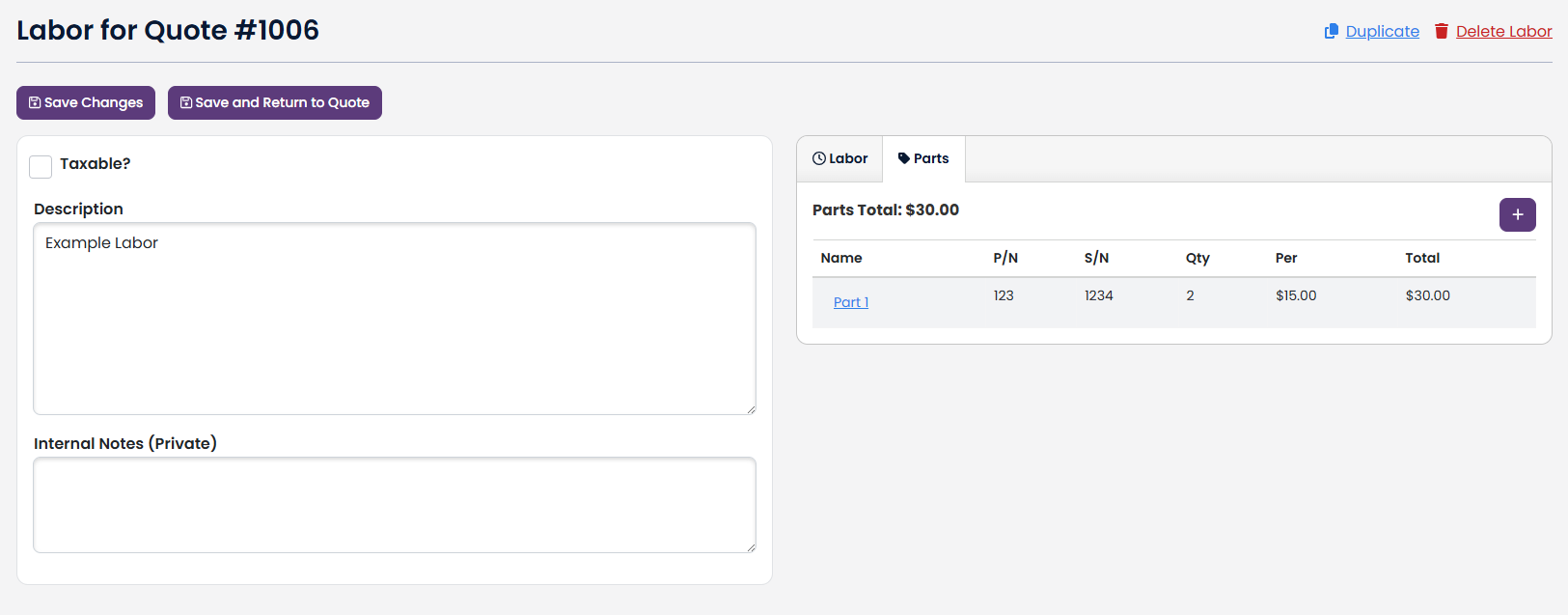
Link:
When a part is added to a Quote/Estimate, but not to any specific Labor in it, you can link the part to a Quote/Estimate Labor
Navigate to your Quote/Estimate Labor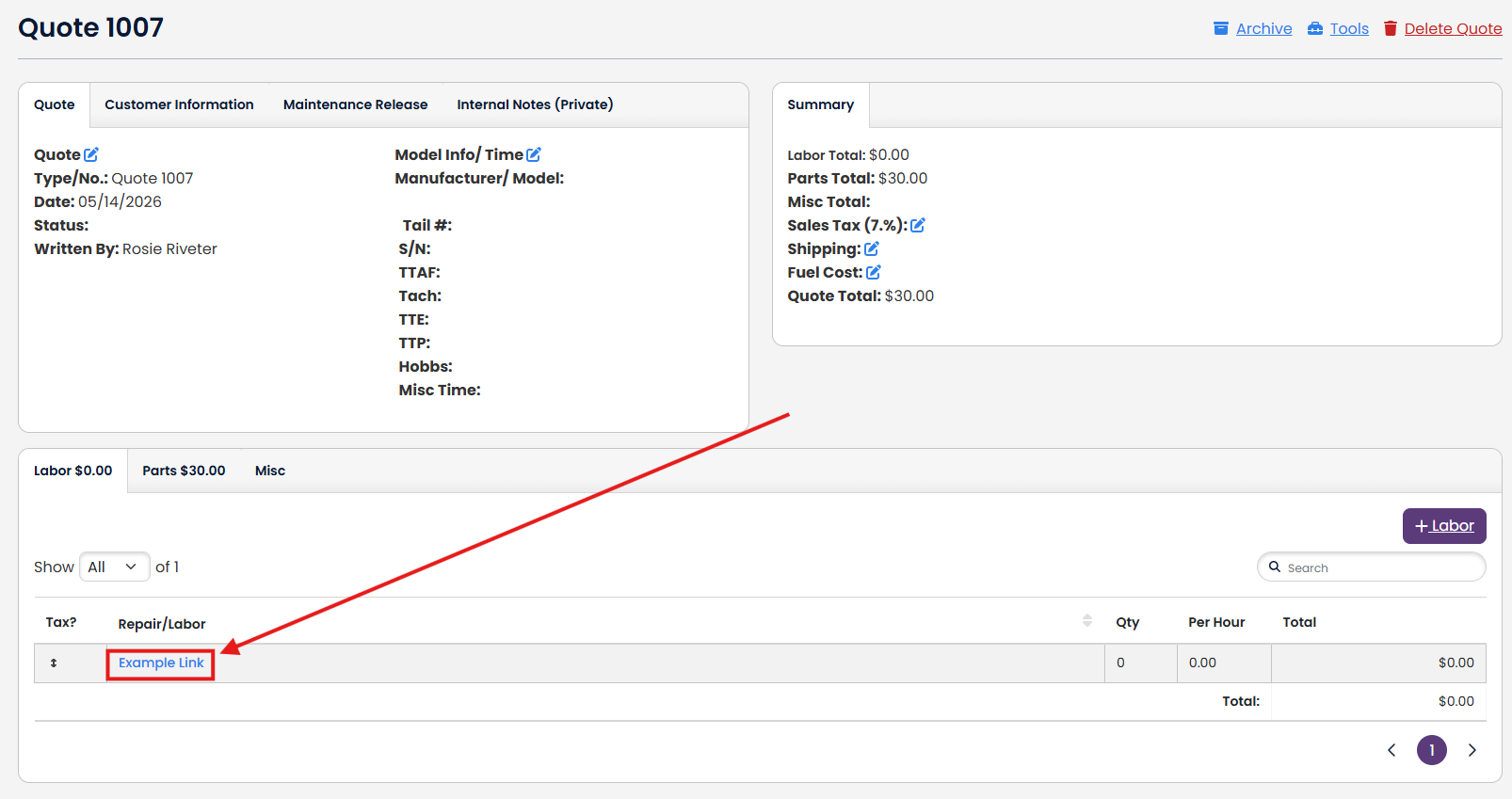
Click on the Parts tab and the + button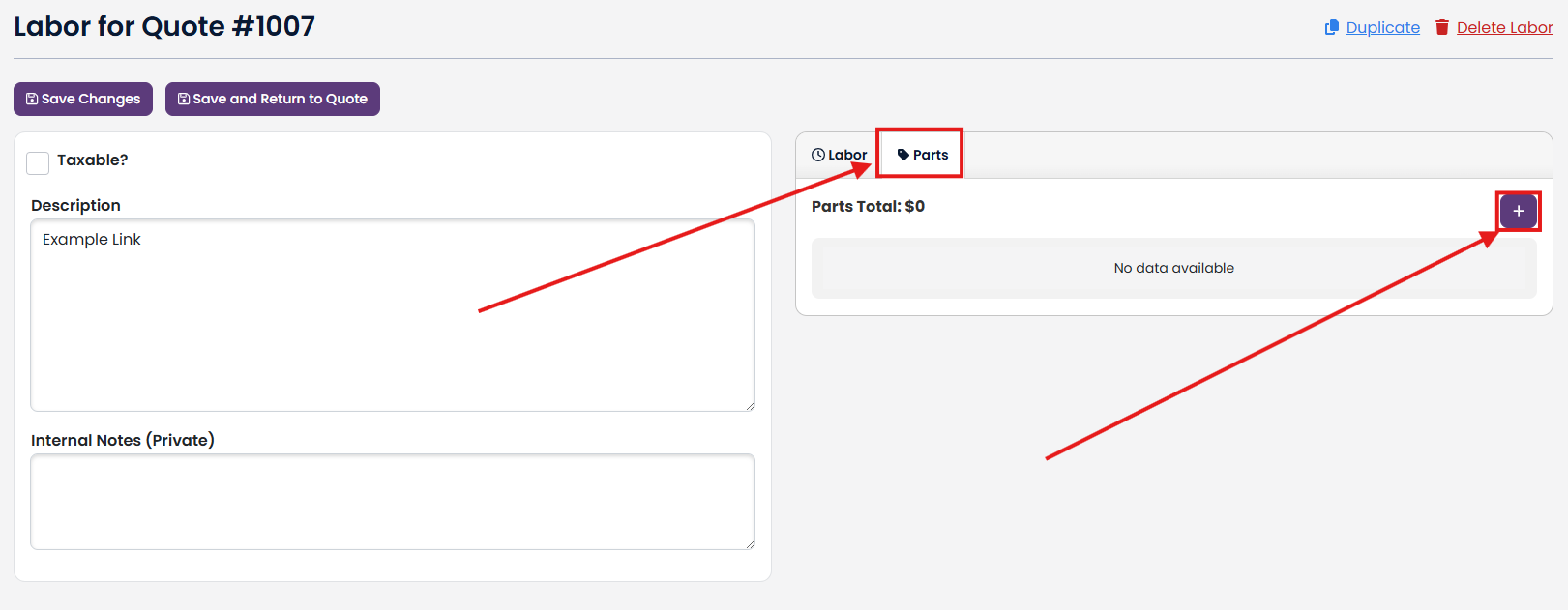
Click on Assign Part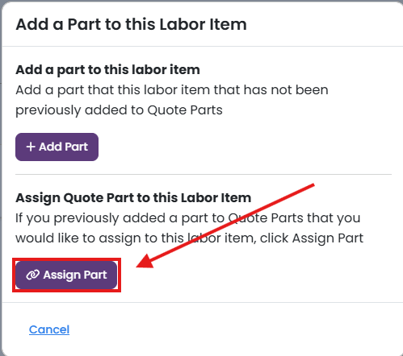
All parts for the Quote/Estimate that are not assigned to a Labor will be listed. To assign one, click Assign Part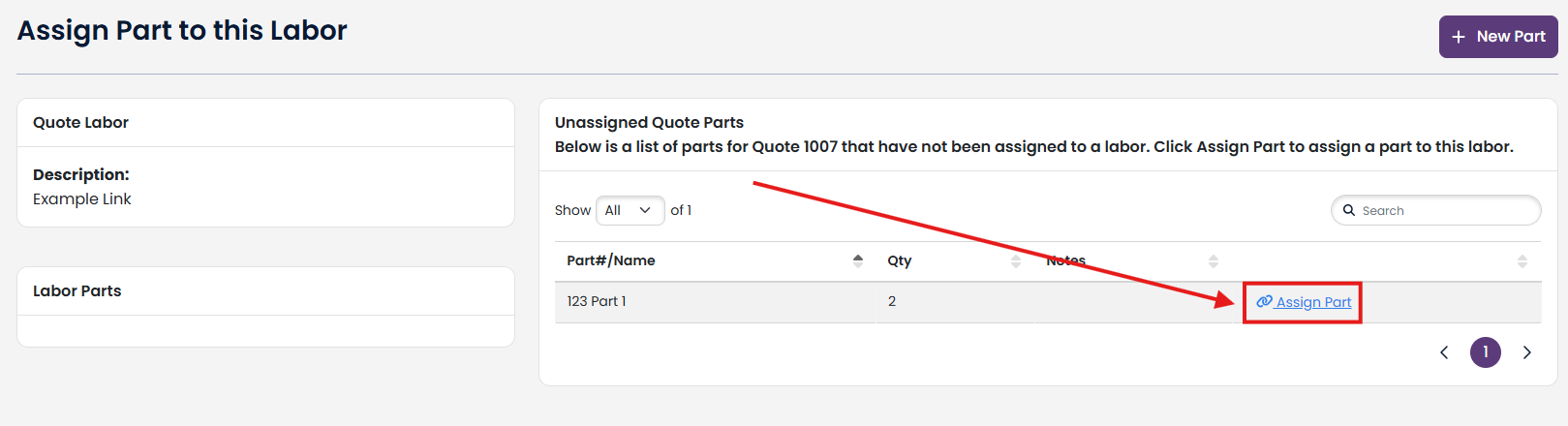
Now the part will show up under the Parts tab in the Quote/Estimate Labor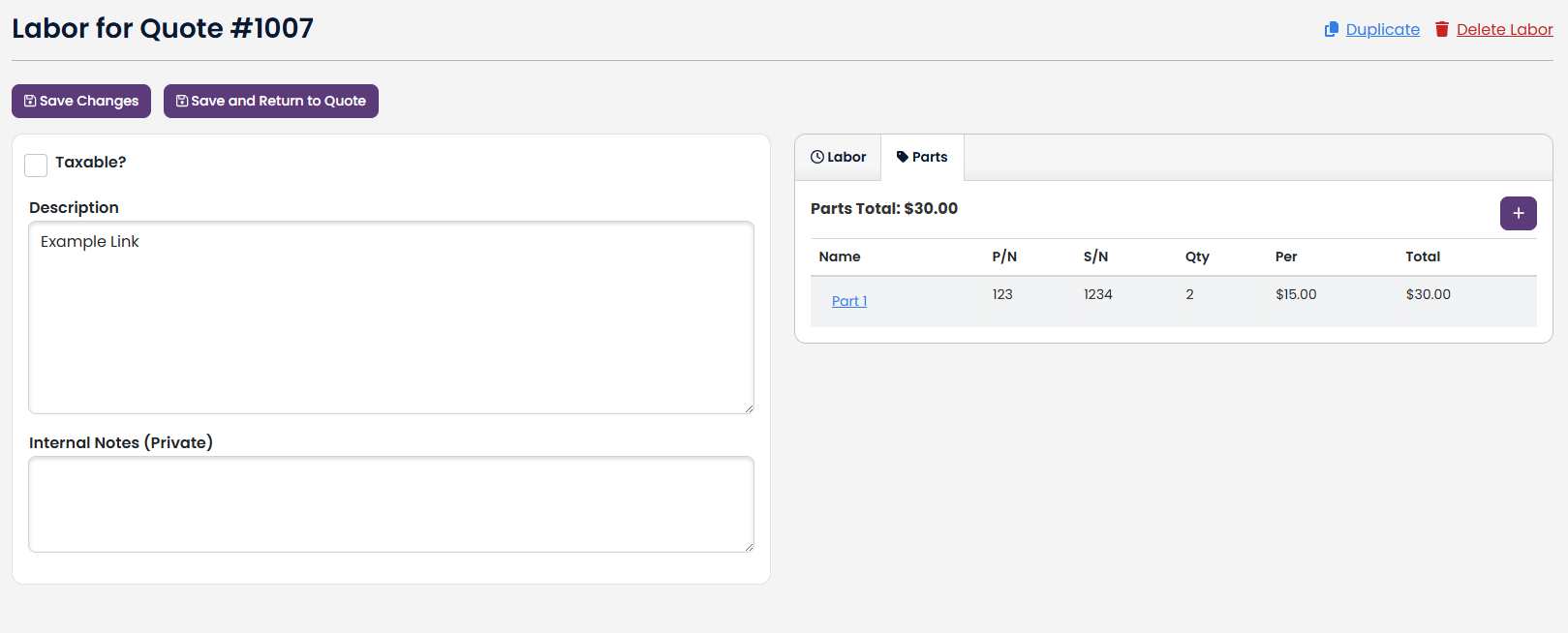
Remove:
If you want to remove the link between a Quote/Estimate Labor and a Part, simply navigate to the Quote/Estimate Labor and click on the Parts tab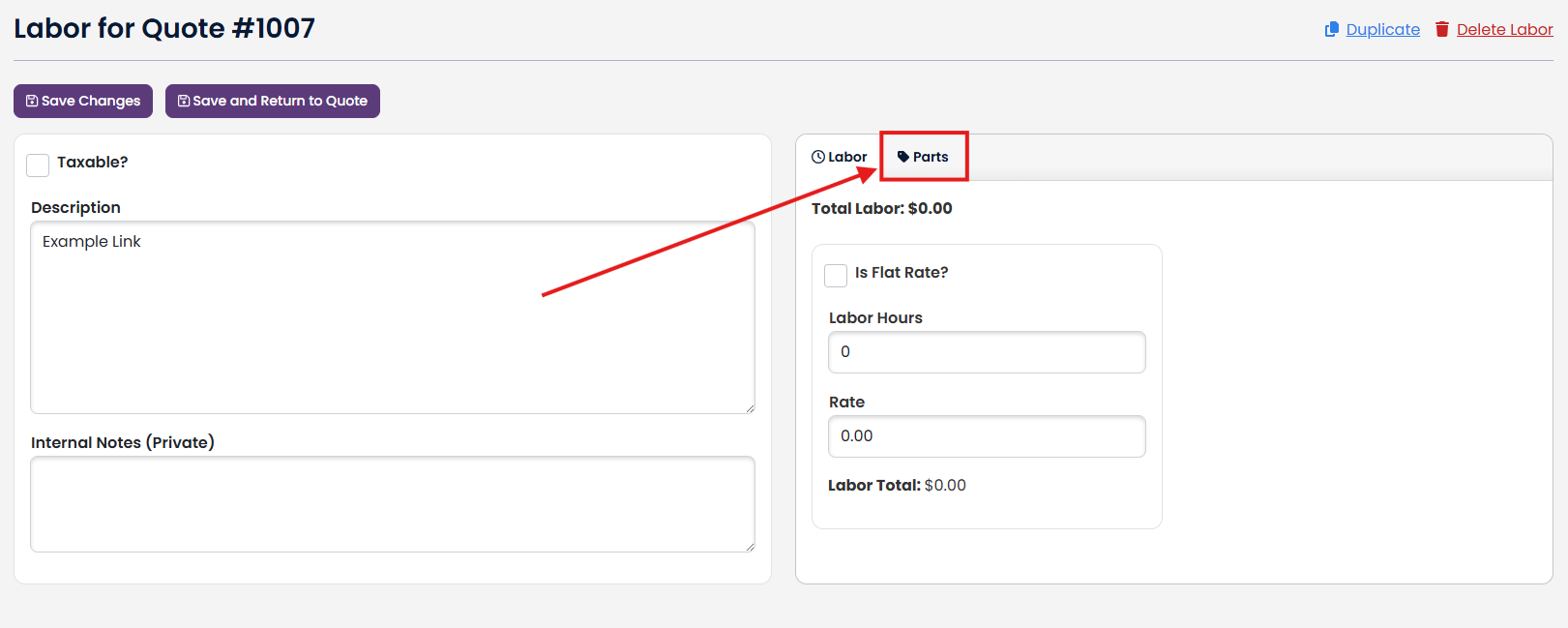
Click on the assigned Part that you want to remove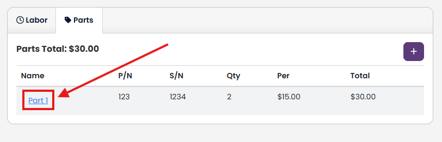
Click on the Remove from Labor button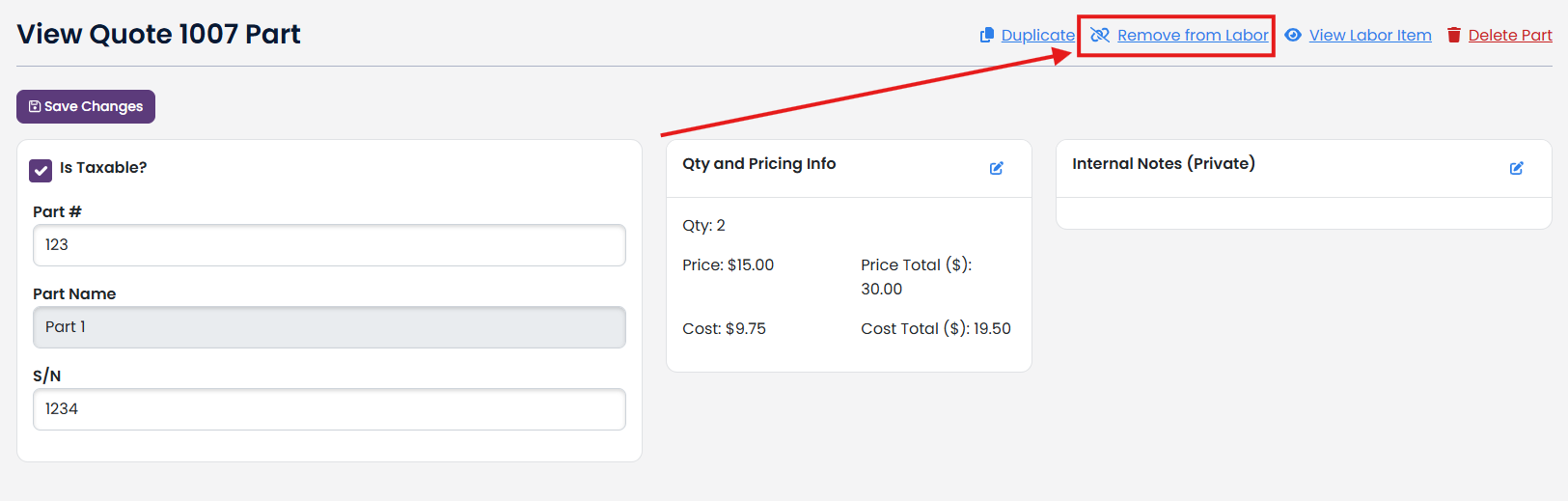
Click Remove this Part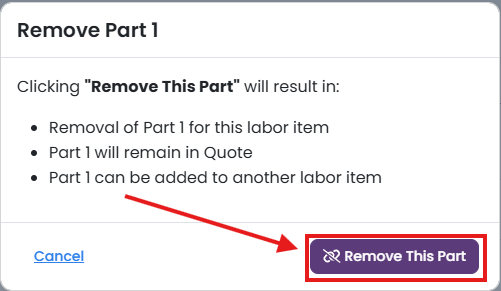
The part will no longer show up in the Parts tab in that Quote/Estimate Labor