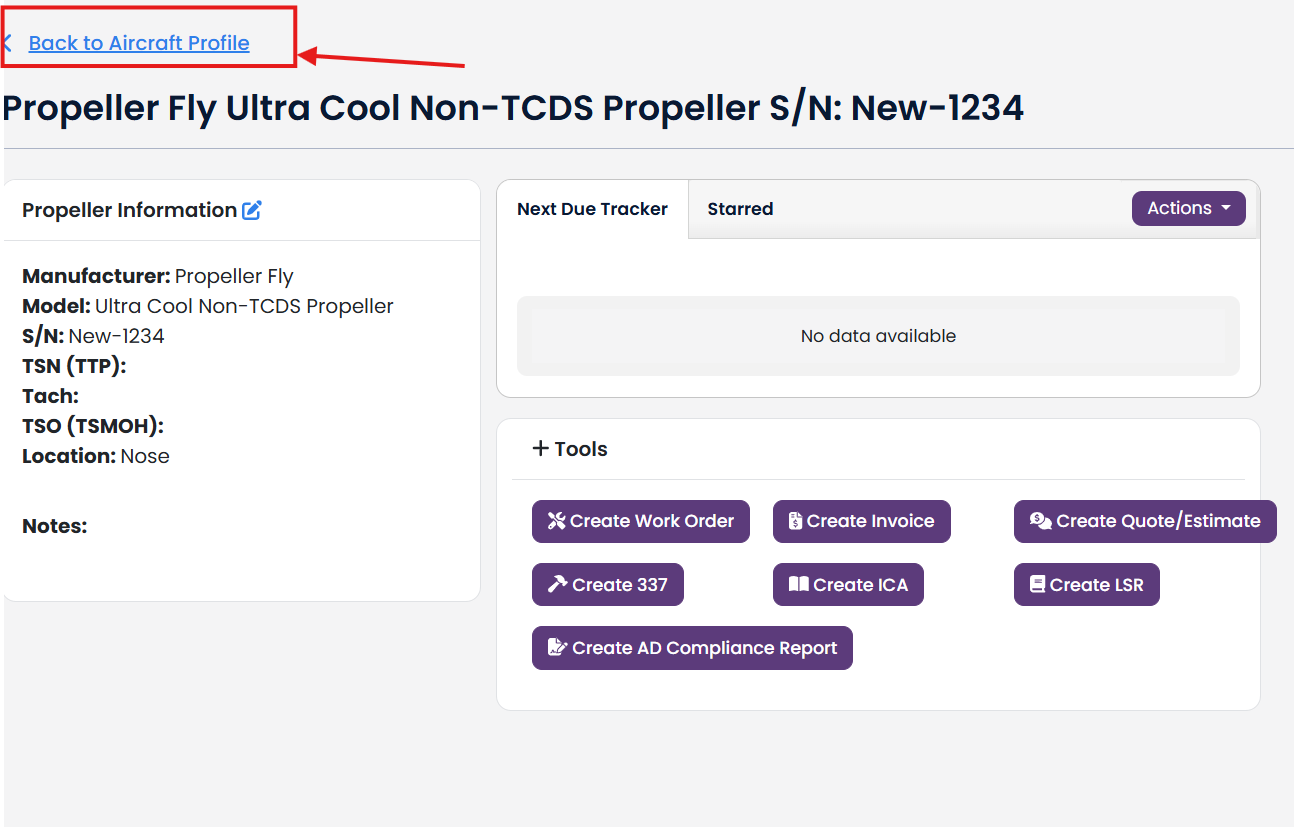
TBX has a full list of type-certificated propeller for general aviation aircraft and business jets. In the event you are creating an aircraft profile for an experimental aircraft or your aircraft has an experimental propeller, you need to add an experimental propeller to your aircraft profile.
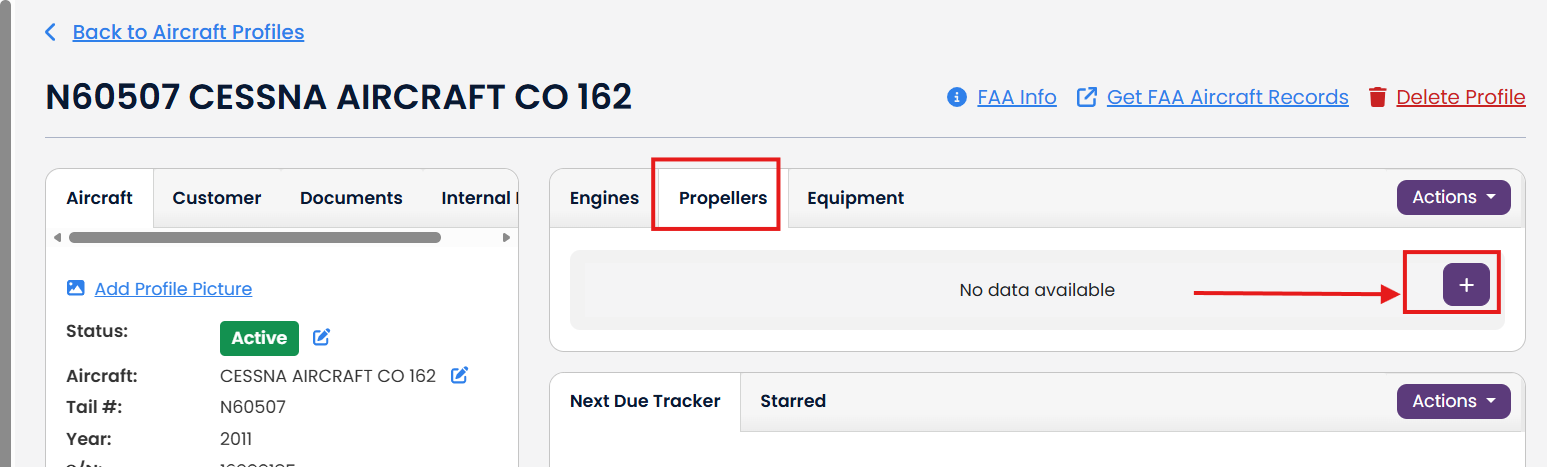
To add an experimental propeller, click the purple + button in the propeller tab.
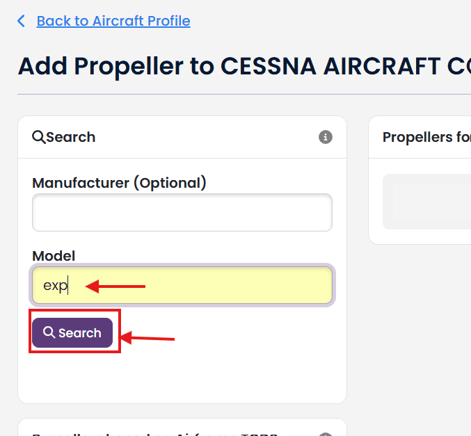
Type "exp" in the Model field and then click the Search button
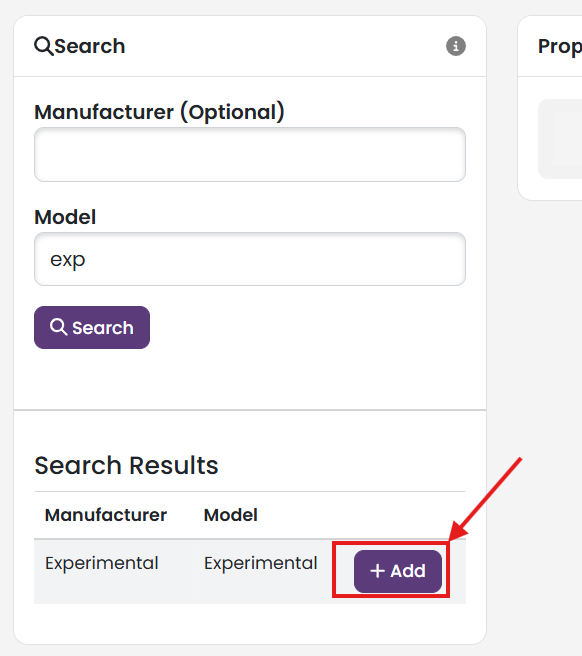
Click the purple + Add button next to Experimental in the Search Results box.
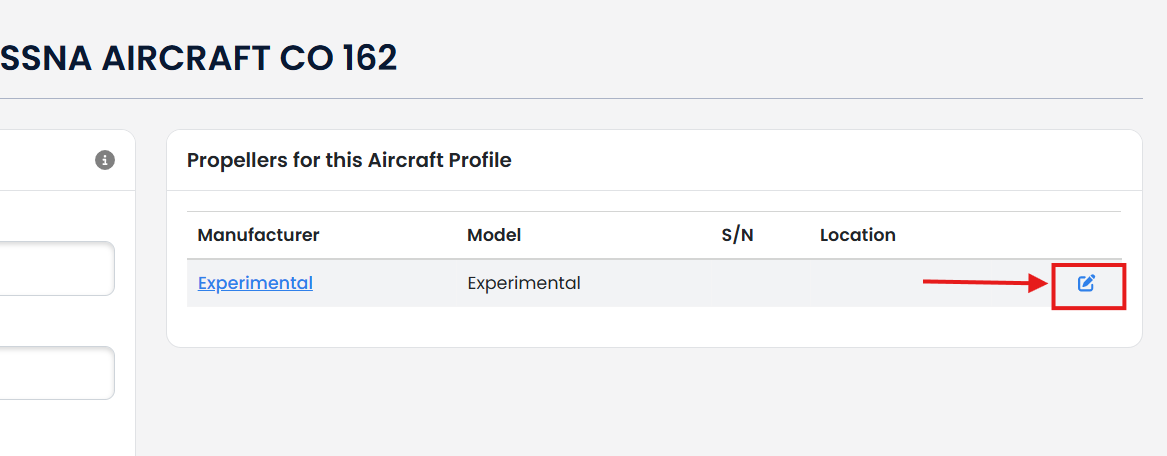
The experimental propeller will appear in the Propellers for this Aircraft Profile box.
To change the Manufacturer and Model name of the propeller, click the blue pencil icon next to the experimental propeller.
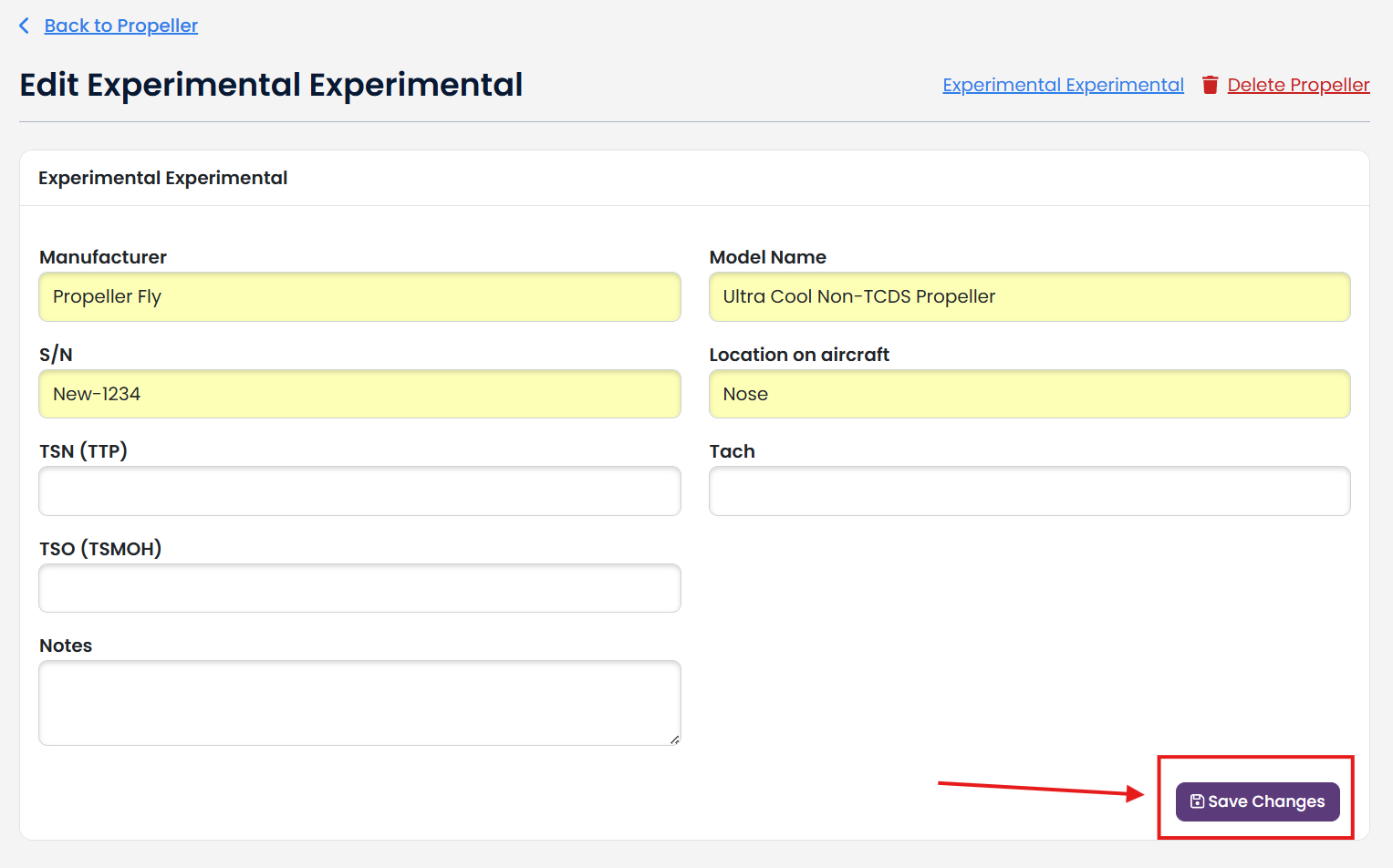
Enter the Manufacturer, Model, S/N, Location and any other information regarding your propeller. Click Save Changes button.
Click "Back to Aircraft Profile" to return to your Aircraft Profile.